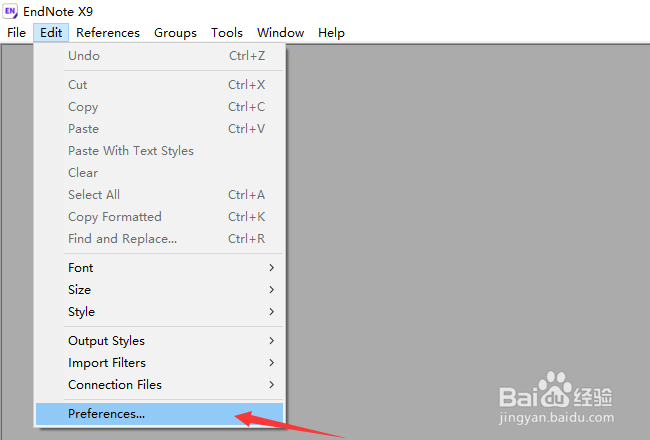
1、首先,点击菜单中edit菜单,弹出了下拉菜单选择preferences选项
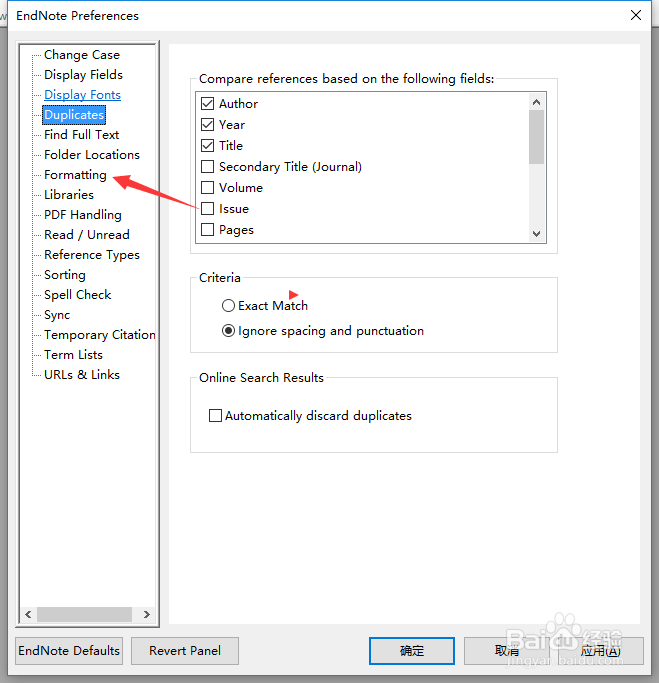
2、点击左侧中的formatting选项
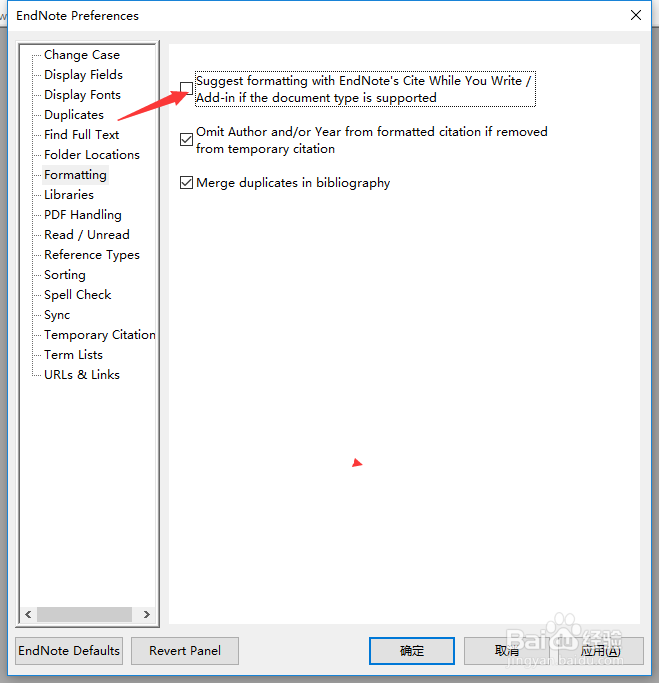
3、去掉勾选suggest formatting with endnote cite while you write选项
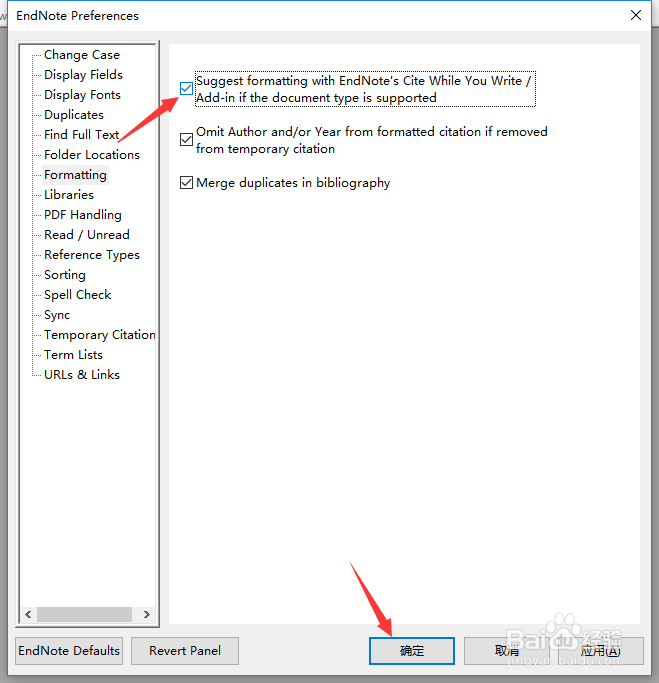
4、去掉勾选suggest formatting with endnote cite while you write选项之后,点击确定
1、首先,点击菜单中edit菜单,弹出了下拉菜单选择preferences选项
2、点击左侧中的formatting选项
3、去掉勾选suggest formatting with endnote cite while you write选项
4、去掉勾选suggest formatting with endnote cite while you write选项之后,点击确定