1、首先进入系统视图
system-view

2、创建eth-trunk接口
interface Eth-Trunk 1

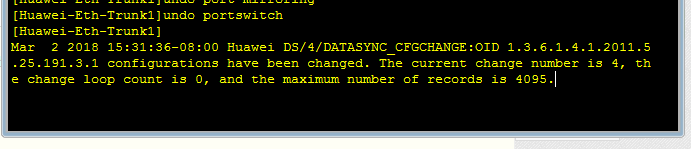
3、然后在Eth-Trunk逻辑口上执行undo portswitch命令,把聚合链路从二层转换到三层
undo portswitch
4、一般是不能再逻辑接口上配置ip地址的,可以直接通过起svi,然后在svi上配置地址,将eth-trunk接口配置成trun,将相应的VLAN允许通过,很好的解决了需求。
5、将三层接口加入到eth-trunk中
interface GigabitEthernet 0/0/1
eth-trunk 1

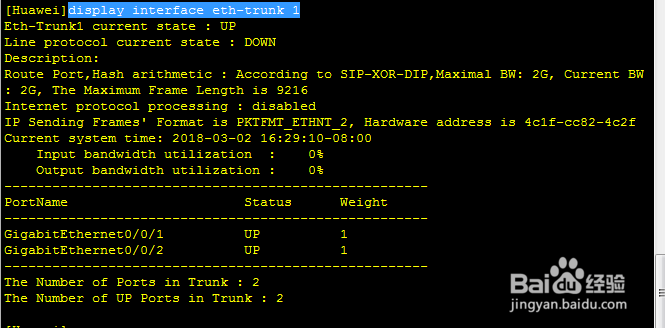
6、检查配置结果
display interface eth-trunk 1
7、另一个交换机同上一样的配置步骤