1、打开unity3d场景,在GameObject菜单中创建一个cube立方体。

2、在Component菜单中,为cube添加“Rigidbody”。

3、在“Script”文件夹中创建一个“Move_cube”脚本文件。

4、在update中添加transform.localEulerAngles获得旋转角度。
print ("旋转"+this.transform.localEulerAngles);
print ("X角度为:"+this.transform.localEulerAngles.x);

5、在update中添加transform.localPosition获得位置坐标。
print ("位置坐标"+this.transform.localPosition);
print ("X坐标为:"+this.transform.localPosition.x);

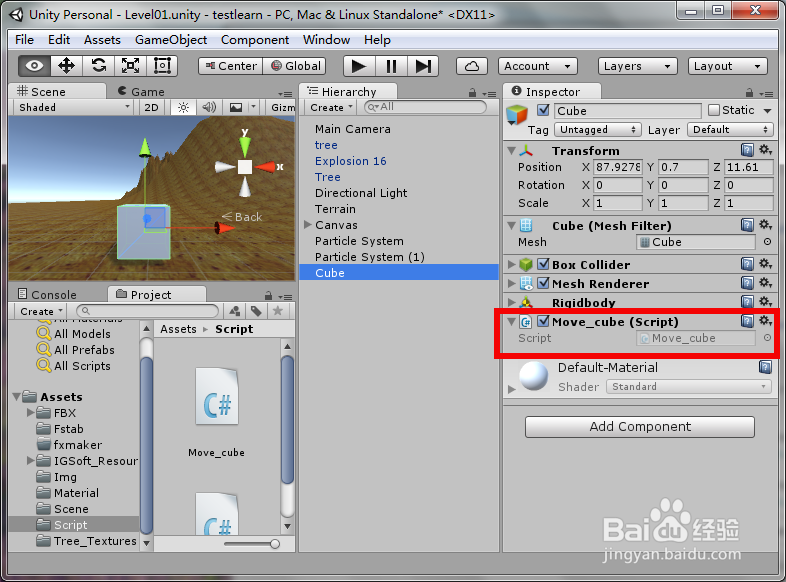
6、把“Move_cube”添加到Cube上。
7、游戏运行后在Console中会输出显示cube物体的坐标与角度。
