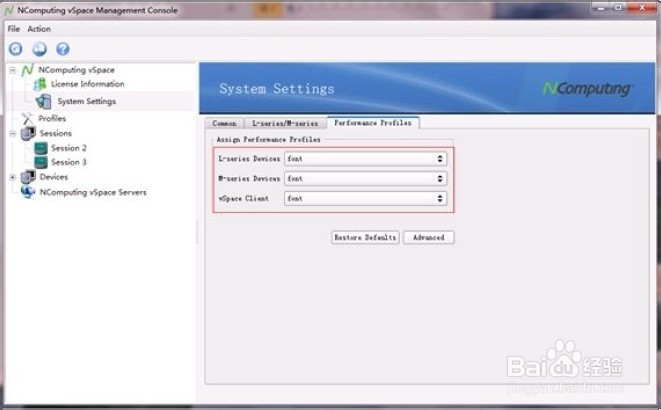
1、 在主机端打开NComputing vSpace 管理控制台,展开左侧“ Ncomputing vSpace” ,单击 System Settings,在右侧单击“ Performance Profiles” ,单击下方的“ Advanced” 按钮。
2、 将下图中的“ Font smoothing” 更改为“ Yes” ;单击“ Create Profile”
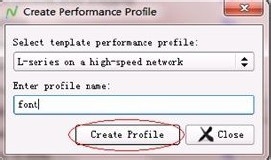
3、 以下图为例,在“ Enter profile name:” 框中输入 font,单击“ Create Profile”
4、 将下图框中的三个选项全都更改为“ font” 。NComputing瘦客户端注销重新登录,默认就是 Clear Type 字体。