1、在Powerpoint中插入三维柱形图。

2、选中柱形图。

3、弹出设置数据系列格式菜单。
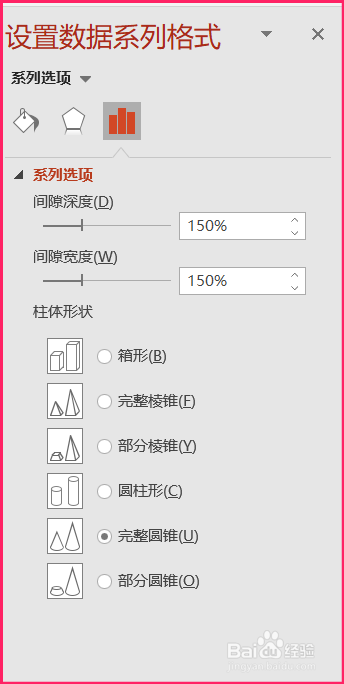
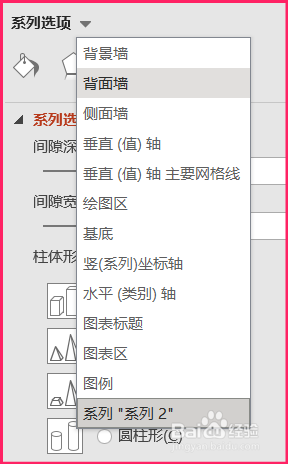
4、点击系列选项附近的下拉三角,在弹出的下拉菜单中选择背面墙。
5、在背面墙菜单中点击填充,选择纯色填充。

6、设置颜色选项。

7、三维柱形图背面墙的颜色就设置好了。

1、在Powerpoint中插入三维柱形图。
2、选中柱形图。
3、弹出设置数据系列格式菜单。
4、点击系列选项附近的下拉三角,在弹出的下拉菜单中选择背面墙。
5、在背面墙菜单中点击填充,选择纯色填充。
6、设置颜色选项。
7、三维柱形图背面墙的颜色就设置好了。