微信如何关闭停用群发助手的功能?

时间:2026-02-15 21:30:19

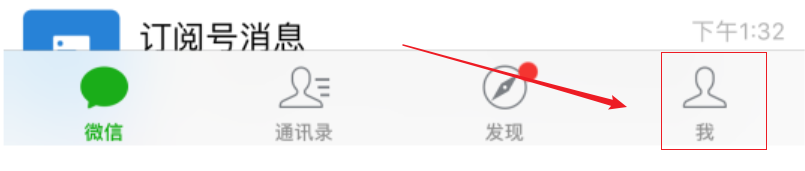
1、打开微信,切换到【我】的标签。

微信如何关闭停用群发助手的功能?

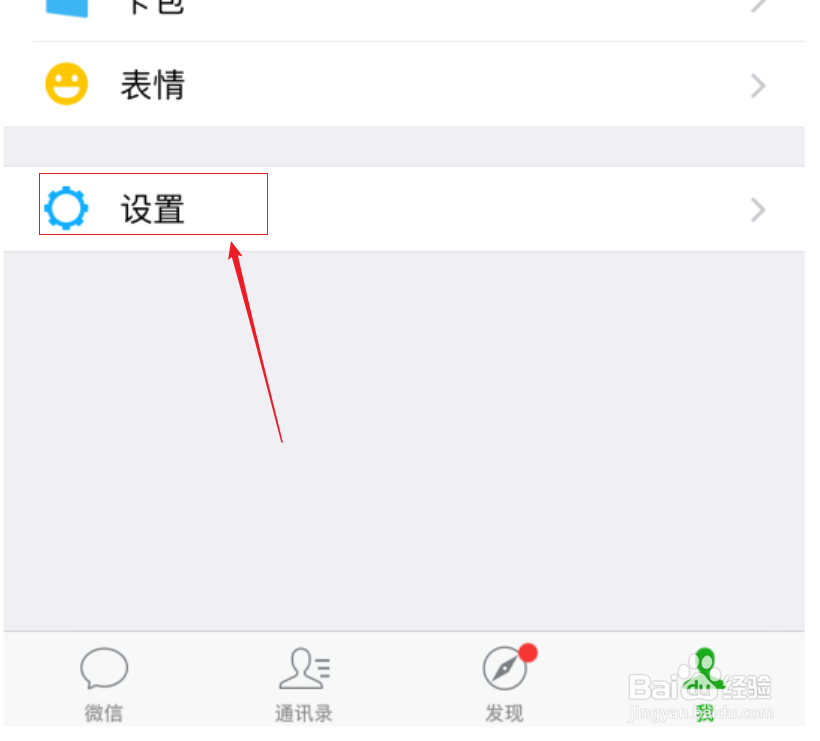
2、点击【设置】

微信如何关闭停用群发助手的功能?

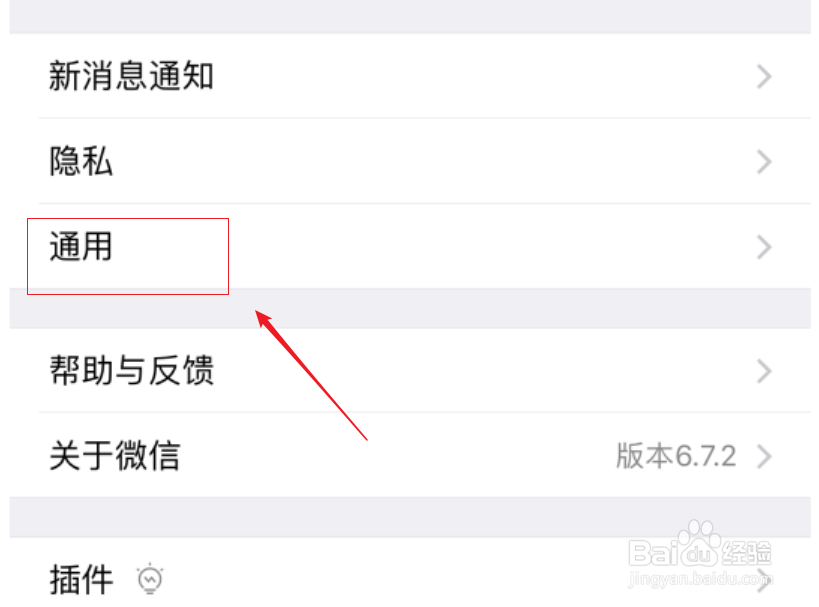
3、点击【通用】

微信如何关闭停用群发助手的功能?

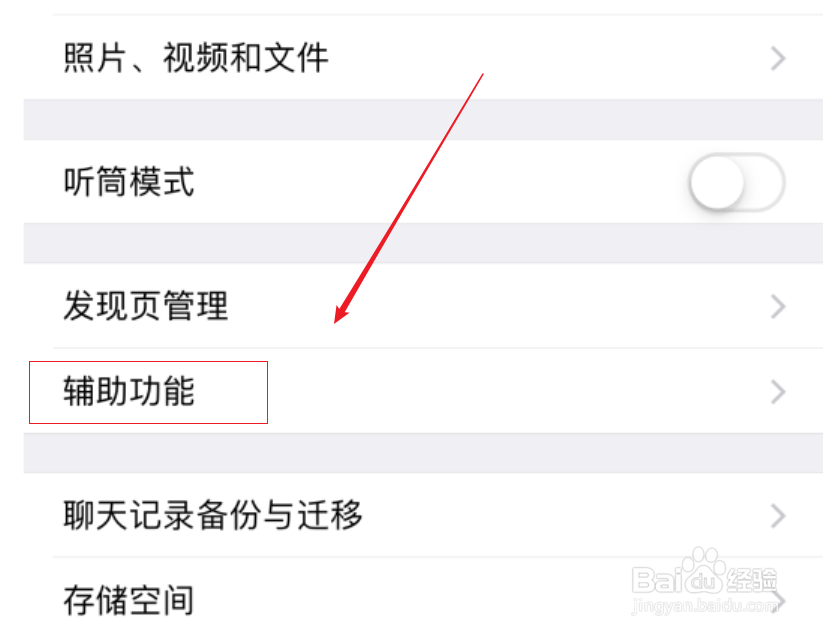
4、点击【辅助功能】

微信如何关闭停用群发助手的功能?

5、点击【群发助手】

微信如何关闭停用群发助手的功能?

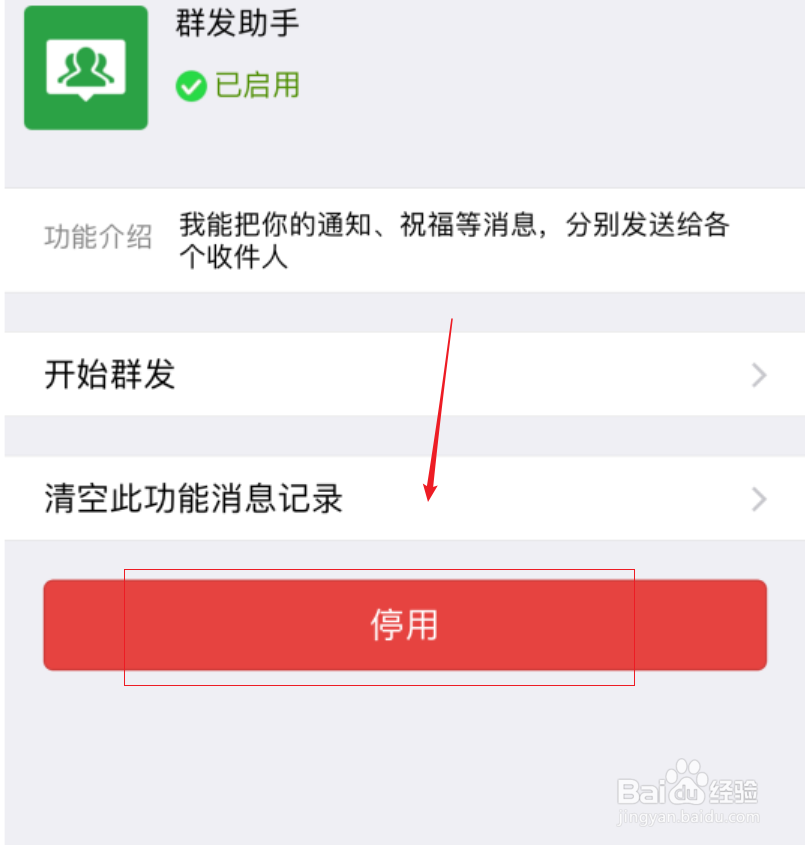
6、点击【停用】

微信如何关闭停用群发助手的功能?

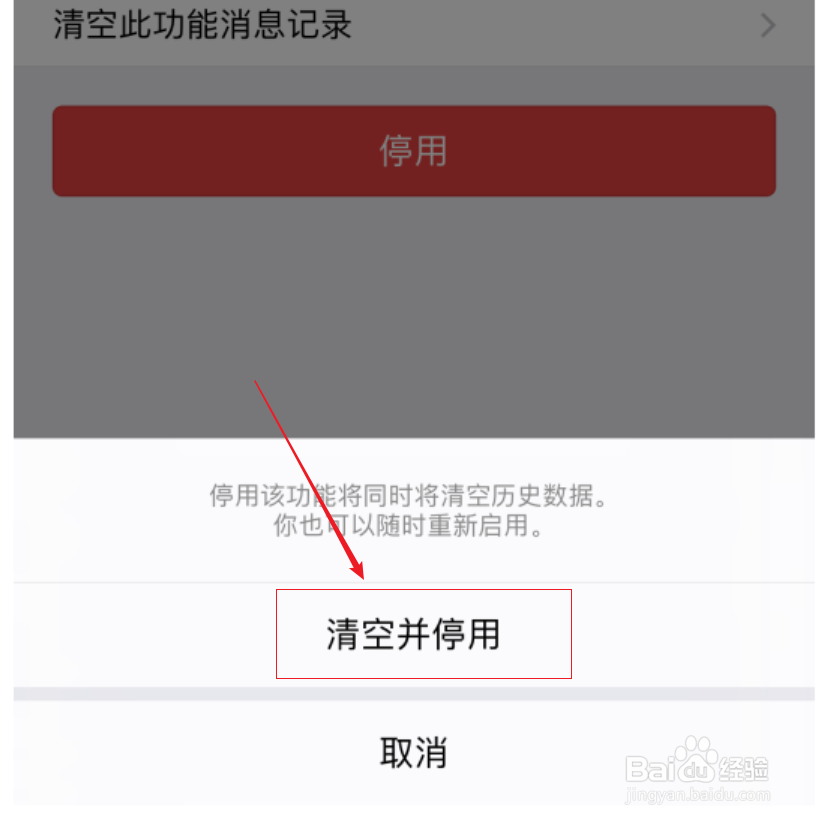
7、点击【清空并停用】

微信如何关闭停用群发助手的功能?

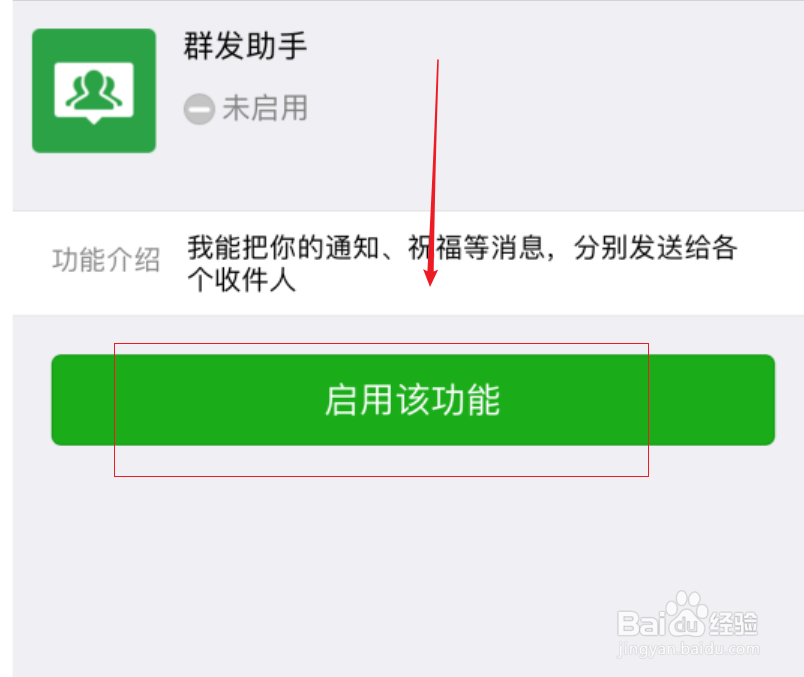
8、变为【启用该功能】,说明已经关闭群发功能。

微信如何关闭停用群发助手的功能?

© 2026 阿力知识库
信息来自网络 所有数据仅供参考
有疑问请联系站长 site.kefu@gmail.com