如何在AI中添加pantone TCX/TPX色卡簿

时间:2026-02-16 09:12:32

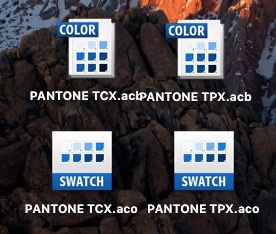
1、先准备好TCX和TPX的色卡簿文件

如何在AI中添加pantone TCX/TPX色卡簿

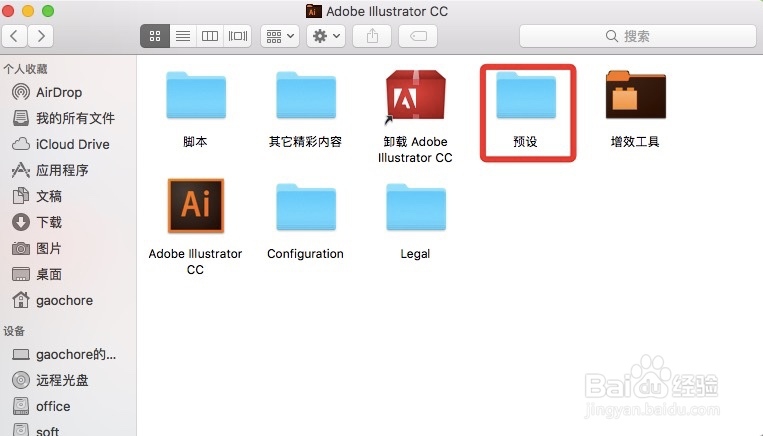
2、打开Finder,打开“应用程序”,然后打开“adboe Illustrator”

如何在AI中添加pantone TCX/TPX色卡簿

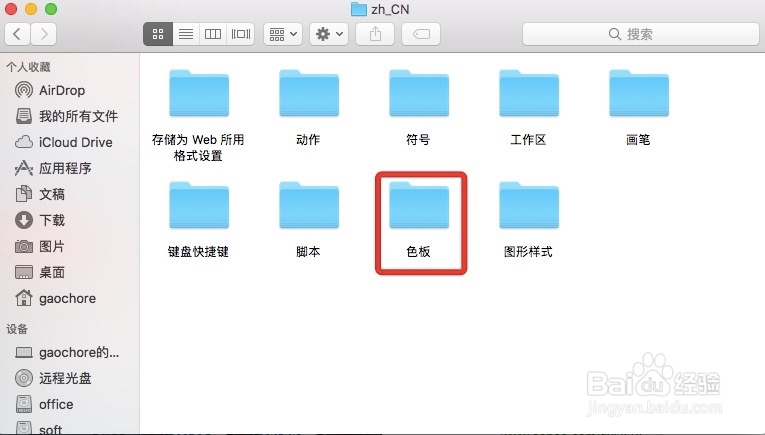
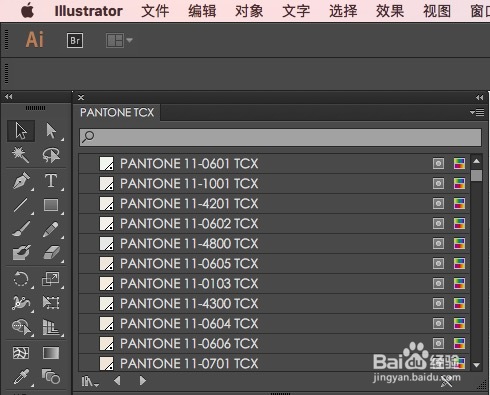
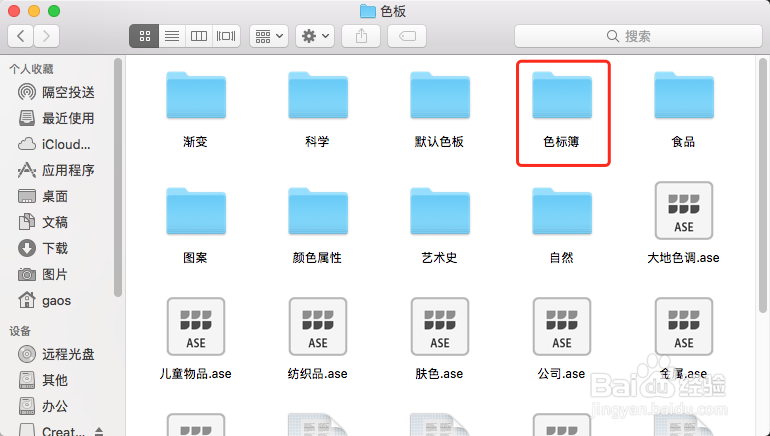
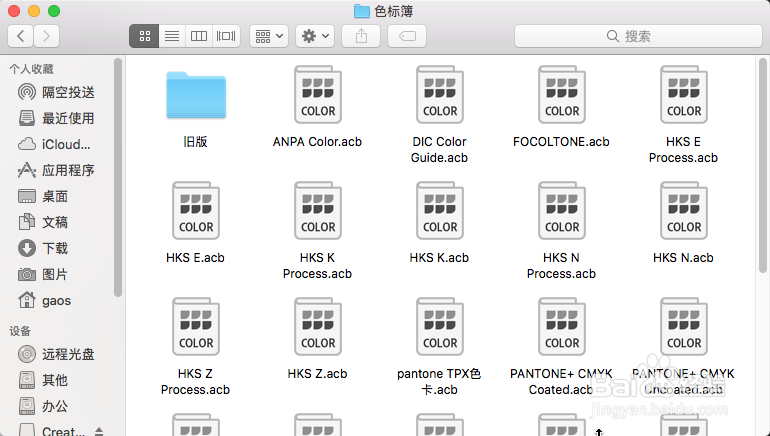
3、然后打开“预设”进入“zh_CN”,找到“色板”文件夹,将pantone TCX.acb和pantone TPX.acb复制进去。然后启动AI,“色卡库”的“色标簿”里就会新增加pantone TCX和pantone TPX的色卡了。

一切就是那么简单,快去试试吧!
如何在AI中添加pantone TCX/TPX色卡簿

如何在AI中添加pantone TCX/TPX色卡簿

如何在AI中添加pantone TCX/TPX色卡簿

如何在AI中添加pantone TCX/TPX色卡簿

4、有人说我的AI打开怎么跟你的不一样呢?那是因为AI版本升级了,默认文件夹不是中文的了。现在就将步骤更新给你。
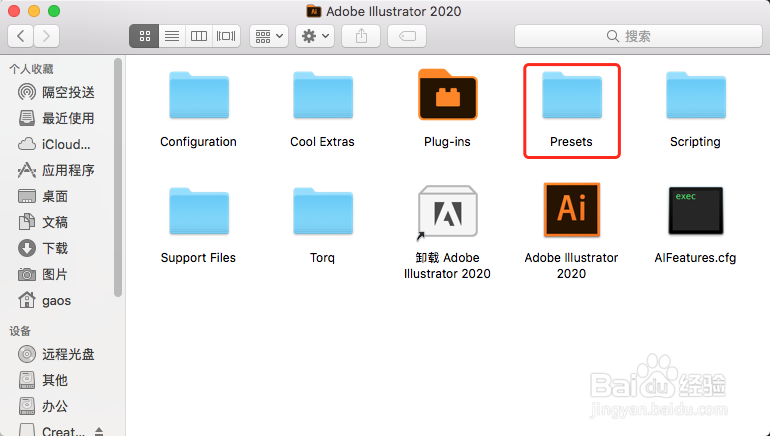
如何在AI中添加pantone TCX/TPX色卡簿

如何在AI中添加pantone TCX/TPX色卡簿

如何在AI中添加pantone TCX/TPX色卡簿

如何在AI中添加pantone TCX/TPX色卡簿

如何在AI中添加pantone TCX/TPX色卡簿

5、还有人说了,我是Photoshop该怎么办?方法同样简单。

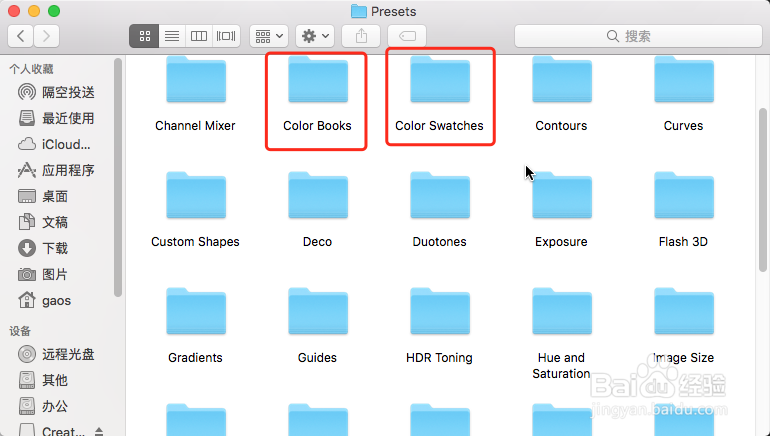
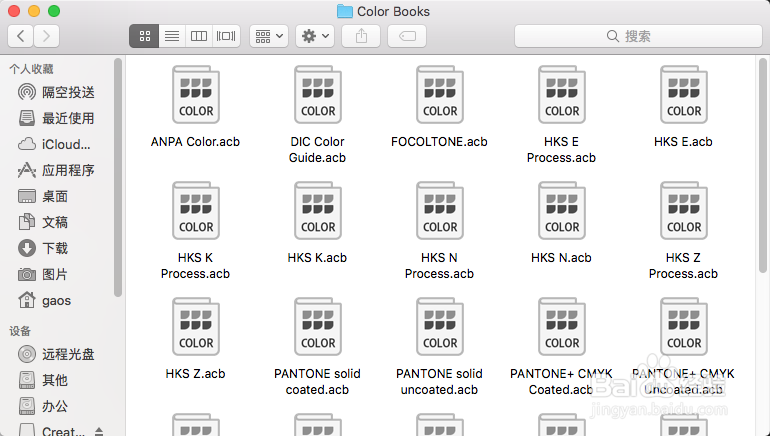
注意啦,Photoshop里需要添加color book和color swatches。所以,你在导色卡簿的时候一定acb和aco都要导出来。
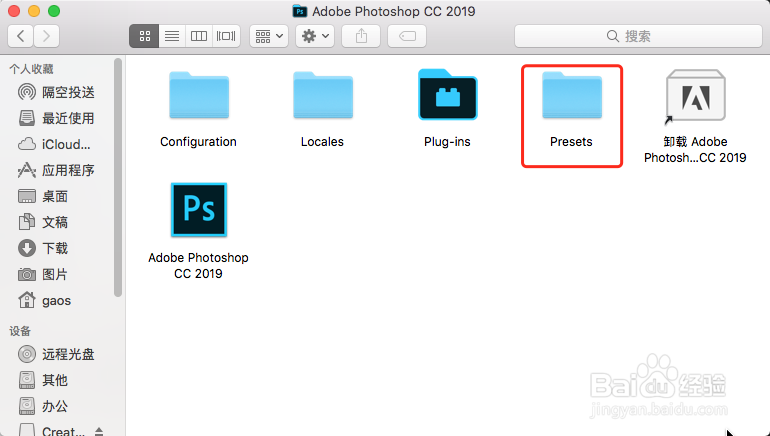
如何在AI中添加pantone TCX/TPX色卡簿

如何在AI中添加pantone TCX/TPX色卡簿

如何在AI中添加pantone TCX/TPX色卡簿

如何在AI中添加pantone TCX/TPX色卡簿

© 2026 阿力知识库
信息来自网络 所有数据仅供参考
有疑问请联系站长 site.kefu@gmail.com